
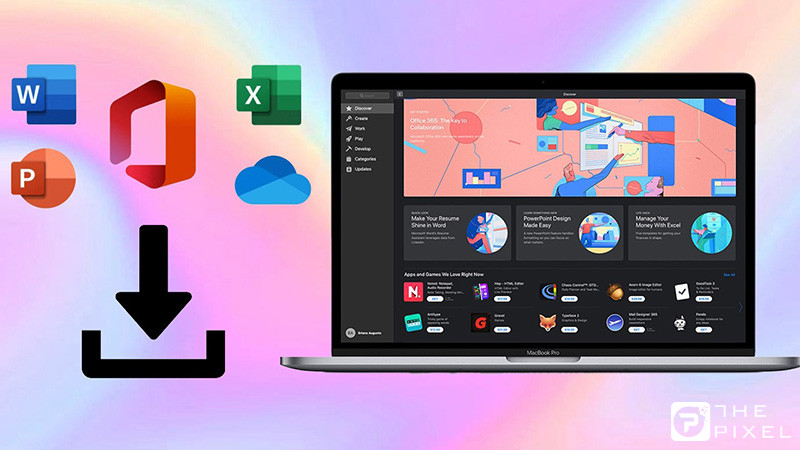
Microsoft Office for Mac là bộ ứng dụng văn phòng mạnh mẽ dành cho macOS, bao gồm Word, Excel, PowerPoint, Outlook, OneNote, Teams… Hiện nay, Microsoft phát hành Office cho Mac dưới hai dạng chính:
Microsoft 365 for Mac (bản thuê bao, cập nhật liên tục)
Office LTSC cho Mac (2024 / 2021 – bản mua một lần)
Để đảm bảo an toàn và có hiệu năng tốt nhất, bạn nên tải Office for Mac từ link chính chủ Microsoft, tránh các bản crack hoặc tải từ nguồn không tin cậy.
Bài viết này tổng hợp link download Office for Mac, kèm hướng dẫn cài đặt, cấu hình, các phiên bản hỗ trợ.

Link Download Office for Mac Chính Chủ Microsoft
1. Tahoe, Sequoia, Sonoma
macOS Tahoe (macOS 26)
macOS Sequoia (macOS 15)
macOS Sonoma (macOS 14)
Generation – 2021 / 2024
| Application | Link |
|---|---|
| Office suite (with Teams) | https://go.microsoft.com/fwlink/p/?linkid=2009112 |
| Office suite (without Teams) | https://go.microsoft.com/fwlink/p/?linkid=525133 |
| Word | https://go.microsoft.com/fwlink/p/?linkid=525134 |
| Excel | https://go.microsoft.com/fwlink/p/?linkid=525135 |
| PowerPoint | https://go.microsoft.com/fwlink/p/?linkid=525136 |
| Outlook | https://go.microsoft.com/fwlink/p/?linkid=525137 |
| OneNote | https://go.microsoft.com/fwlink/p/?linkid=820886 |
Other Resources
https://learn.microsoft.com/en-us/officeupdates/update-history-office-for-mac
- Install Office for your macOS version from the above table if not installed.
- If you have ever opened Office apps on your macOS, then run this Office-Reset tool 2.0 Beta 1 – (Mirror) and clean the licenses.
- Now run the below-listed activator pkg file and install. (Don’t open Office apps before installing activator pkg file)
- Your office should be activated now.
The below activator (serializer) pkg files are extracted from the official iso files. These serializer files are only available to paid subscribers, however anyone can activate Office using it.
| Serializer | Activator | Applicable On |
|---|---|---|
| Office 2024 | pkg – iso | Tahoe, Sequoia, Sonoma, Ventura |
| Office 2021 | pkg – iso | Tahoe, Sequoia, Sonoma, Ventura, Monterey, Big Sur, Catalina, Mojave |
| Office 2019 (Old) | pkg – iso | High Sierra, Sierra |
| Office 2016 (Old) | pkg – iso | El Capitan, Yosemite |
| Office 2019 (New) | pkg – iso | |
| Office 2016 (New) | pkg – iso |
If activation is not working, then:
- Uninstall all Office apps.
- Clean everything using Office-Reset Tool 2.0 Beta 1 – (Mirror).
- Reinstall Office and follow the activation steps explained above.
- If you are still facing issues, erase and reinstall macOS, then repeat the process.
2. Ventura
macOS Ventura (macOS 13)
Highest supported office version 16.101 (Generation – 2021 / 2024) (September 2025)
It’s no longer supported by Microsoft, and Office doesn’t receive updates.
- Install Office for your macOS version from the above table if not installed.
- If you have ever opened Office apps on your macOS, then run this Office-Reset tool 2.0 Beta 1 – (Mirror) and clean the licenses.
- Now run the below-listed activator pkg file and install. (Don’t open Office apps before installing activator pkg file)
- Your office should be activated now.
The below activator (serializer) pkg files are extracted from the official iso files. These serializer files are only available to paid subscribers, however anyone can activate Office using it.
| Serializer | Activator | Applicable On |
|---|---|---|
| Office 2024 | pkg – iso | Tahoe, Sequoia, Sonoma, Ventura |
| Office 2021 | pkg – iso | Tahoe, Sequoia, Sonoma, Ventura, Monterey, Big Sur, Catalina, Mojave |
| Office 2019 (Old) | pkg – iso | High Sierra, Sierra |
| Office 2016 (Old) | pkg – iso | El Capitan, Yosemite |
| Office 2019 (New) | pkg – iso | |
| Office 2016 (New) | pkg – iso |
If activation is not working, then:
- Uninstall all Office apps.
- Clean everything using Office-Reset Tool 2.0 Beta 1 – (Mirror).
- Reinstall Office and follow the activation steps explained above.
- If you are still facing issues, erase and reinstall macOS, then repeat the process.
3. Monterey
macOS Monterey (macOS 12)
Highest supported office version 16.88 (Generation – 2021) (August 2024)
It’s no longer supported by Microsoft, and Office doesn’t receive updates.
Other Resources
https://learn.microsoft.com/en-us/officeupdates/update-history-office-for-mac
- Install Office for your macOS version from the above table if not installed.
- If you have ever opened Office apps on your macOS, then run this Office-Reset tool 2.0 Beta 1 – (Mirror) and clean the licenses.
- Now run the below-listed activator pkg file and install. (Don’t open Office apps before installing activator pkg file)
- Your office should be activated now.
The below activator (serializer) pkg files are extracted from the official iso files. These serializer files are only available to paid subscribers, however anyone can activate Office using it.
| Serializer | Activator | Applicable On |
|---|---|---|
| Office 2024 | pkg – iso | Tahoe, Sequoia, Sonoma, Ventura |
| Office 2021 | pkg – iso | Tahoe, Sequoia, Sonoma, Ventura, Monterey, Big Sur, Catalina, Mojave |
| Office 2019 (Old) | pkg – iso | High Sierra, Sierra |
| Office 2016 (Old) | pkg – iso | El Capitan, Yosemite |
| Office 2019 (New) | pkg – iso | |
| Office 2016 (New) | pkg – iso |
4. Big Sur
macOS Big Sur (macOS 11)
Highest supported office version 16.77 (Generation – 2021/2019) (September 2023)
It’s no longer supported by Microsoft, and Office doesn’t receive updates.
The below activator (serializer) pkg files are extracted from the official iso files. These serializer files are only available to paid subscribers, however anyone can activate Office using it.
| Serializer | Activator | Applicable On |
|---|---|---|
| Office 2024 | pkg – iso | Tahoe, Sequoia, Sonoma, Ventura |
| Office 2021 | pkg – iso | Tahoe, Sequoia, Sonoma, Ventura, Monterey, Big Sur, Catalina, Mojave |
| Office 2019 (Old) | pkg – iso | High Sierra, Sierra |
| Office 2016 (Old) | pkg – iso | El Capitan, Yosemite |
| Office 2019 (New) | pkg – iso | |
| Office 2016 (New) | pkg – iso |
If activation is not working, then:
- Uninstall all Office apps.
- Clean everything using Office-Reset Tool 2.0 Beta 1 – (Mirror).
- Reinstall Office and follow the activation steps explained above.
- If you are still facing issues, erase and reinstall macOS, then repeat the process.
5. Catalina
macOS Catalina (10.15)
Highest supported office version 16.66.1 (Generation – 2021/2019) (October 2022)
It’s no longer supported by Microsoft, and Office doesn’t receive updates.
Other Resources
https://learn.microsoft.com/en-us/officeupdates/update-history-office-for-mac
- Install Office for your macOS version from the above table if not installed.
- If you have ever opened Office apps on your macOS, then run this Office-Reset tool 2.0 Beta 1 – (Mirror) and clean the licenses.
- Now run the below-listed activator pkg file and install. (Don’t open Office apps before installing activator pkg file)
- Your office should be activated now.
The below activator (serializer) pkg files are extracted from the official iso files. These serializer files are only available to paid subscribers, however anyone can activate Office using it.
| Serializer | Activator | Applicable On |
|---|---|---|
| Office 2024 | pkg – iso | Tahoe, Sequoia, Sonoma, Ventura |
| Office 2021 | pkg – iso | Tahoe, Sequoia, Sonoma, Ventura, Monterey, Big Sur, Catalina, Mojave |
| Office 2019 (Old) | pkg – iso | High Sierra, Sierra |
| Office 2016 (Old) | pkg – iso | El Capitan, Yosemite |
| Office 2019 (New) | pkg – iso | |
| Office 2016 (New) | pkg – iso |
If activation is not working, then:
- Uninstall all Office apps.
- Clean everything using Office-Reset Tool 2.0 Beta 1 – (Mirror).
- Reinstall Office and follow the activation steps explained above.
- If you are still facing issues, erase and reinstall macOS, then repeat the process.
6. Mojave
macOS Mojave (10.14)
Highest supported office version 16.54 (Generation – 2021/2019) (October 2021)
It’s no longer supported by Microsoft, and Office doesn’t receive updates.
Other Resources
https://learn.microsoft.com/en-us/officeupdates/update-history-office-for-mac
- Install Office for your macOS version from the above table if not installed.
- If you have ever opened Office apps on your macOS, then run this Office-Reset tool 2.0 Beta 1 – (Mirror) and clean the licenses.
- Now run the below-listed activator pkg file and install. (Don’t open Office apps before installing activator pkg file)
- Your office should be activated now.
The below activator (serializer) pkg files are extracted from the official iso files. These serializer files are only available to paid subscribers, however anyone can activate Office using it.
| Serializer | Activator | Applicable On |
|---|---|---|
| Office 2024 | pkg – iso | Tahoe, Sequoia, Sonoma, Ventura |
| Office 2021 | pkg – iso | Tahoe, Sequoia, Sonoma, Ventura, Monterey, Big Sur, Catalina, Mojave |
| Office 2019 (Old) | pkg – iso | High Sierra, Sierra |
| Office 2016 (Old) | pkg – iso | El Capitan, Yosemite |
| Office 2019 (New) | pkg – iso | |
| Office 2016 (New) | pkg – iso |
7. High Sierra
macOS High Sierra (10.13)
Highest supported office version 16.43.0 (Generation – 2019) (November 2020)
It’s no longer supported by Microsoft, and Office doesn’t receive updates.
Other Resources
https://learn.microsoft.com/en-us/officeupdates/update-history-office-for-mac
- Install Office for your macOS version from the above table if not installed.
- If you have ever opened Office apps on your macOS, then run this Office-Reset tool 2.0 Beta 1 – (Mirror) and clean the licenses.
- Now run the below-listed activator pkg file and install. (Don’t open Office apps before installing activator pkg file)
- Your office should be activated now.
8. Sierra
macOS Sierra (10.12)
Highest supported office version 16.30 (Generation – 2019) (October 2019)
It’s no longer supported by Microsoft, and Office doesn’t receive updates.
Other Resources
https://learn.microsoft.com/en-us/officeupdates/update-history-office-for-mac
- Install Office for your macOS version from the above table if not installed.
- If you have ever opened Office apps on your macOS, then run this Office-Reset tool 2.0 Beta 1 – (Mirror) and clean the licenses.
- Now run the below-listed activator pkg file and install. (Don’t open Office apps before installing activator pkg file)
- Your office should be activated now.
The below activator (serializer) pkg files are extracted from the official iso files. These serializer files are only available to paid subscribers, however anyone can activate Office using it.
| Serializer | Activator | Applicable On |
|---|---|---|
| Office 2024 | pkg – iso | Tahoe, Sequoia, Sonoma, Ventura |
| Office 2021 | pkg – iso | Tahoe, Sequoia, Sonoma, Ventura, Monterey, Big Sur, Catalina, Mojave |
| Office 2019 (Old) | pkg – iso | High Sierra, Sierra |
| Office 2016 (Old) | pkg – iso | El Capitan, Yosemite |
| Office 2019 (New) | pkg – iso | |
| Office 2016 (New) | pkg – iso |
9. El Capitan, Yosemite
OS X El Capitan (10.11)
OS X Yosemite (10.10)
Other Resources
https://learn.microsoft.com/en-us/officeupdates/update-history-office-for-mac
- Install Office for your macOS version from the above table if not installed.
- If you have ever opened Office apps on your macOS, then run this Office-Reset tool 2.0 Beta 1 – (Mirror) and clean the licenses.
- Now run the below-listed activator pkg file and install. (Don’t open Office apps before installing activator pkg file)
- Your office should be activated now.
The below activator (serializer) pkg files are extracted from the official iso files. These serializer files are only available to paid subscribers, however anyone can activate Office using it.
| Serializer | Activator | Applicable On |
|---|---|---|
| Office 2024 | pkg – iso | Tahoe, Sequoia, Sonoma, Ventura |
| Office 2021 | pkg – iso | Tahoe, Sequoia, Sonoma, Ventura, Monterey, Big Sur, Catalina, Mojave |
| Office 2019 (Old) | pkg – iso | High Sierra, Sierra |
| Office 2016 (Old) | pkg – iso | El Capitan, Yosemite |
| Office 2019 (New) | pkg – iso | |
| Office 2016 (New) | pkg – iso |
10. Mavericks, Mountain Lion, Lion, Snow Leopard, Leopard
OS X Mavericks (10.9)
OS X Mountain Lion (10.8)
OS X Lion (10.7)
Mac OS X Snow Leopard (10.6)
Mac OS X Leopard (10.5)
Highest supported office version is Office 2011.
This Office installer does not require activation.
It’s no longer supported by Microsoft, and Office doesn’t receive updates.
Other Resources
https://learn.microsoft.com/en-us/officeupdates/update-history-office-for-mac
- Install Office for your macOS version from the above table if not installed.
- If you have ever opened Office apps on your macOS, then run this Office-Reset tool 2.0 Beta 1 – (Mirror) and clean the licenses.
- Now run the below-listed activator pkg file and install. (Don’t open Office apps before installing activator pkg file)
- Your office should be activated now.
The below activator (serializer) pkg files are extracted from the official iso files. These serializer files are only available to paid subscribers, however anyone can activate Office using it.
| Serializer | Activator | Applicable On |
|---|---|---|
| Office 2024 | pkg – iso | Tahoe, Sequoia, Sonoma, Ventura |
| Office 2021 | pkg – iso | Tahoe, Sequoia, Sonoma, Ventura, Monterey, Big Sur, Catalina, Mojave |
| Office 2019 (Old) | pkg – iso | High Sierra, Sierra |
| Office 2016 (Old) | pkg – iso | El Capitan, Yosemite |
| Office 2019 (New) | pkg – iso | |
| Office 2016 (New) | pkg – iso |
Kết luận
Office for Mac là bộ ứng dụng văn phòng mạnh mẽ, ổn định và tương thích hoàn hảo với macOS, đặc biệt là dòng máy Apple Silicon. Để đảm bảo an toàn tuyệt đối và hiệu năng tốt nhất, bạn nên luôn tải Office từ link chính chủ Microsoft thay vì dùng file lậu hoặc chỉnh sửa.
Với nhiều lựa chọn như Microsoft 365, Office 2024, Office 2021 LTSC, bạn có thể chọn phiên bản phù hợp với nhu cầu công việc và thiết bị của mình.







Ý kiến bạn đọc (0)